
Background
Relativity's Transcripts application allows legal teams to review deposition transcripts alongside recorded video. Attorneys use these materials to prepare for trial, evaluate testimony, and build presentations.
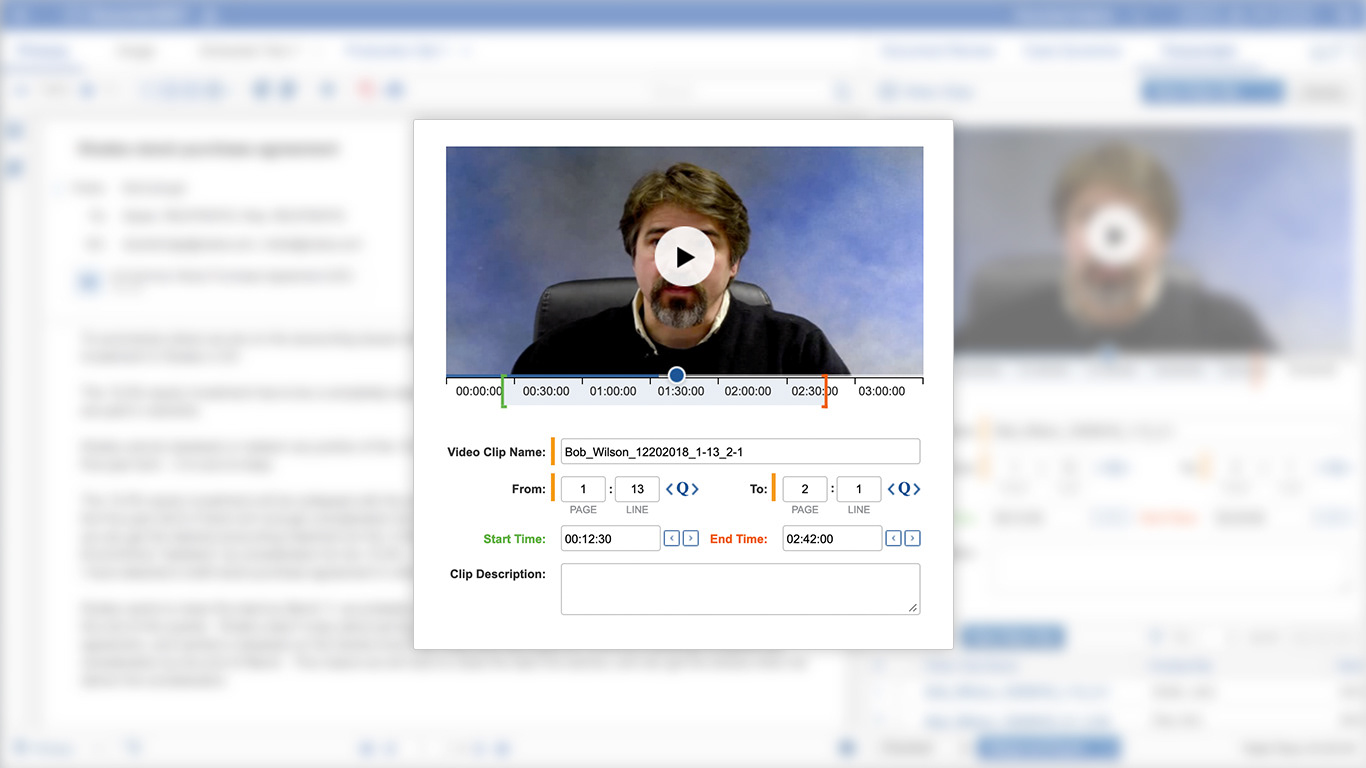
Customers had repeatedly requested the ability to create video clips directly from a transcript. The opportunity was to make that process faster and more integrated, allowing attorneys to select a portion of testimony and create a clip they could use for trial or presentation.
Finding the Opportunity
I started by talking with customers who had requested video clipping and users who regularly worked in Transcripts.
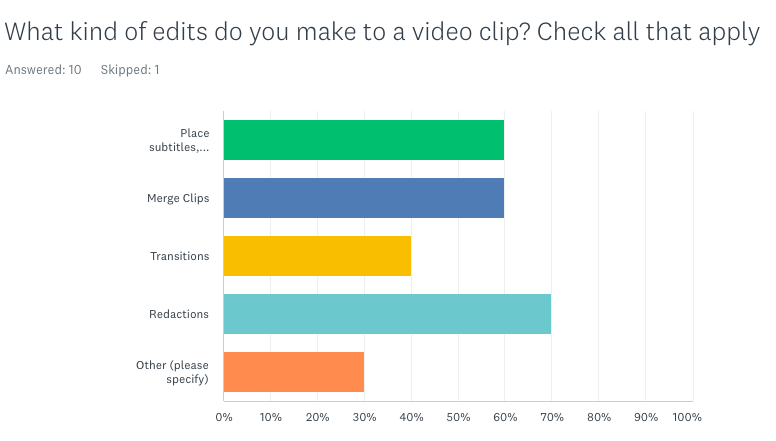
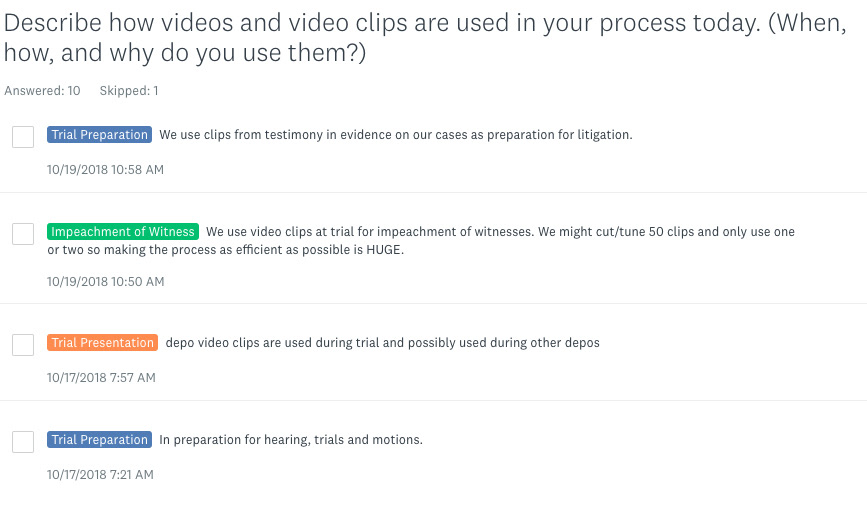
Through surveys and interviews, I found two recurring problems with existing workflows: file management was cumbersome, and video tools often introduced technical friction. Different file formats required different tools, moving clips between applications was difficult, and large files could create encoding and synchronization issues.
More importantly, attorneys weren't simply looking to edit video. They wanted to quickly capture a specific piece of testimony and use it for witness preparation, trial presentation, or impeachment.
That distinction helped narrow the MVP around a focused workflow: create a clip directly from the transcript, with precise control over the beginning and end of the selected testimony.
Designing the Workflow
I reviewed competing transcript and deposition tools to understand the interaction patterns users were already familiar with, then worked with the product manager and engineering team to define the technical and business requirements.
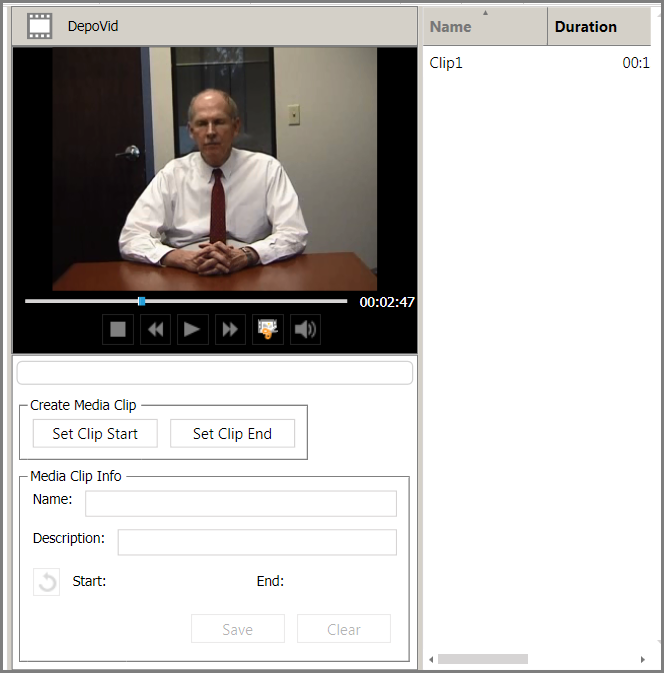
Competitor 1
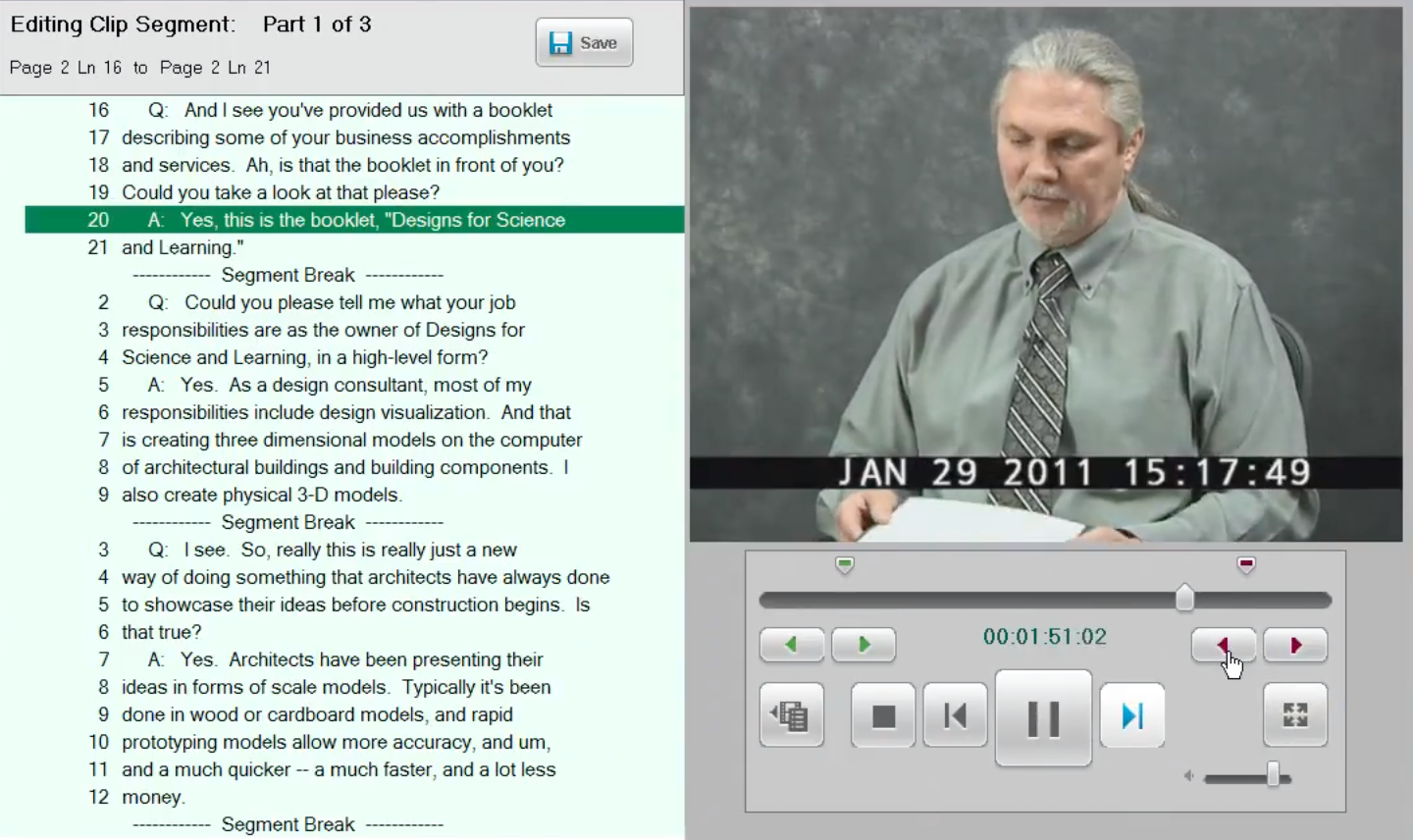
Competitor 2
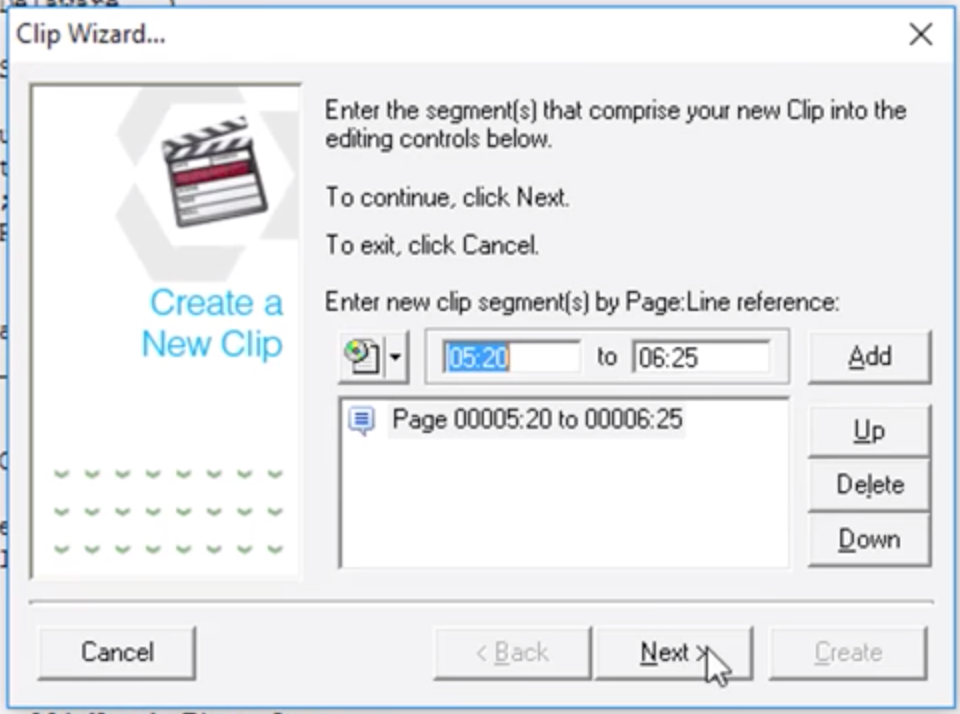
Competitor 3
A key principle emerged: video clipping needed to feel like a natural extension of the transcript experience, not a separate video-editing application.
I explored several approaches through whiteboarding and early prototypes, including different combinations of panels, modals, and video controls.
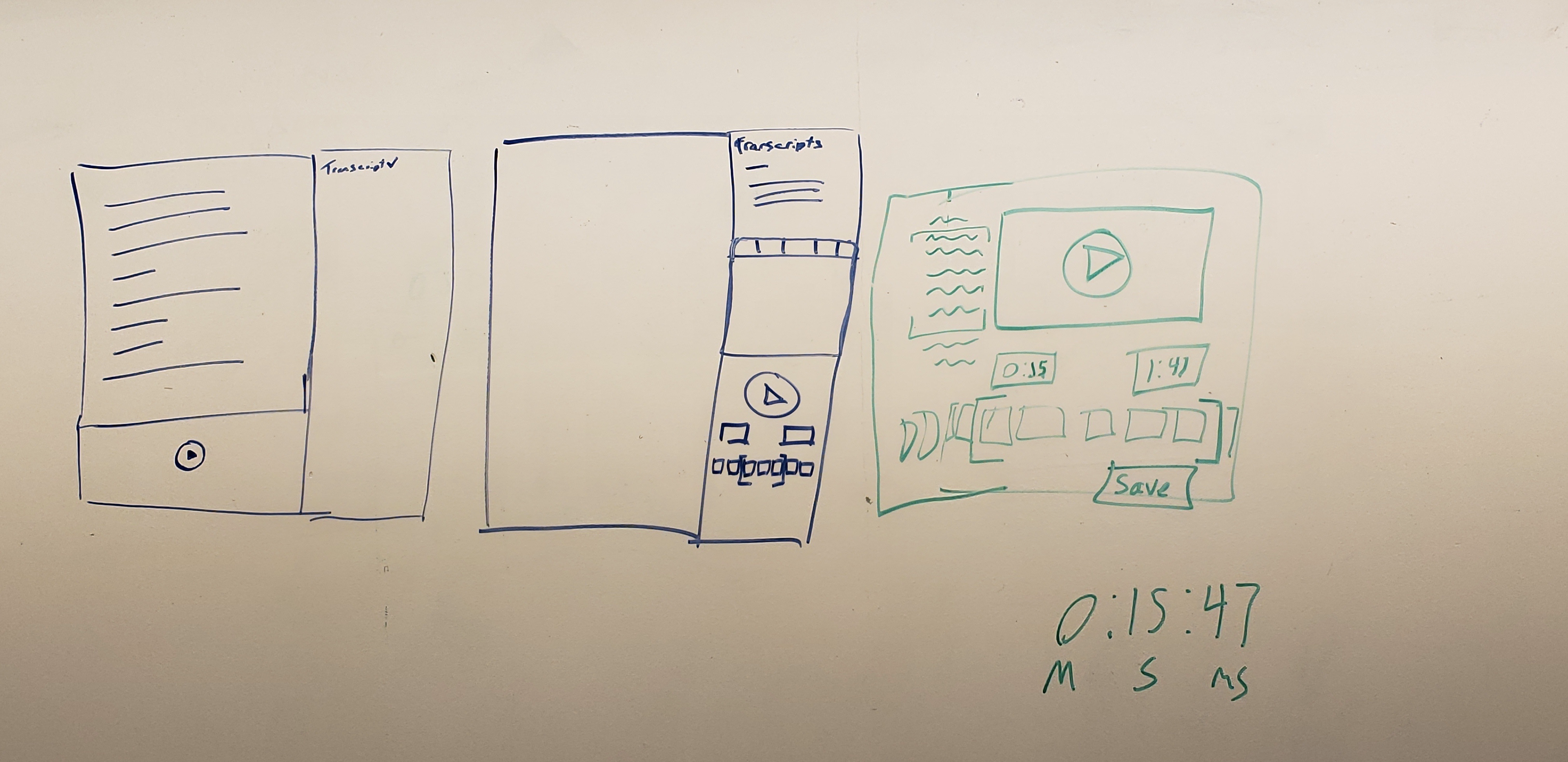
Iterating Through Prototypes
My first designs placed the clipping experience in a modal over the transcript. Usability feedback quickly exposed a problem: the modal constrained the available space and prevented users from navigating the transcript while creating a clip.
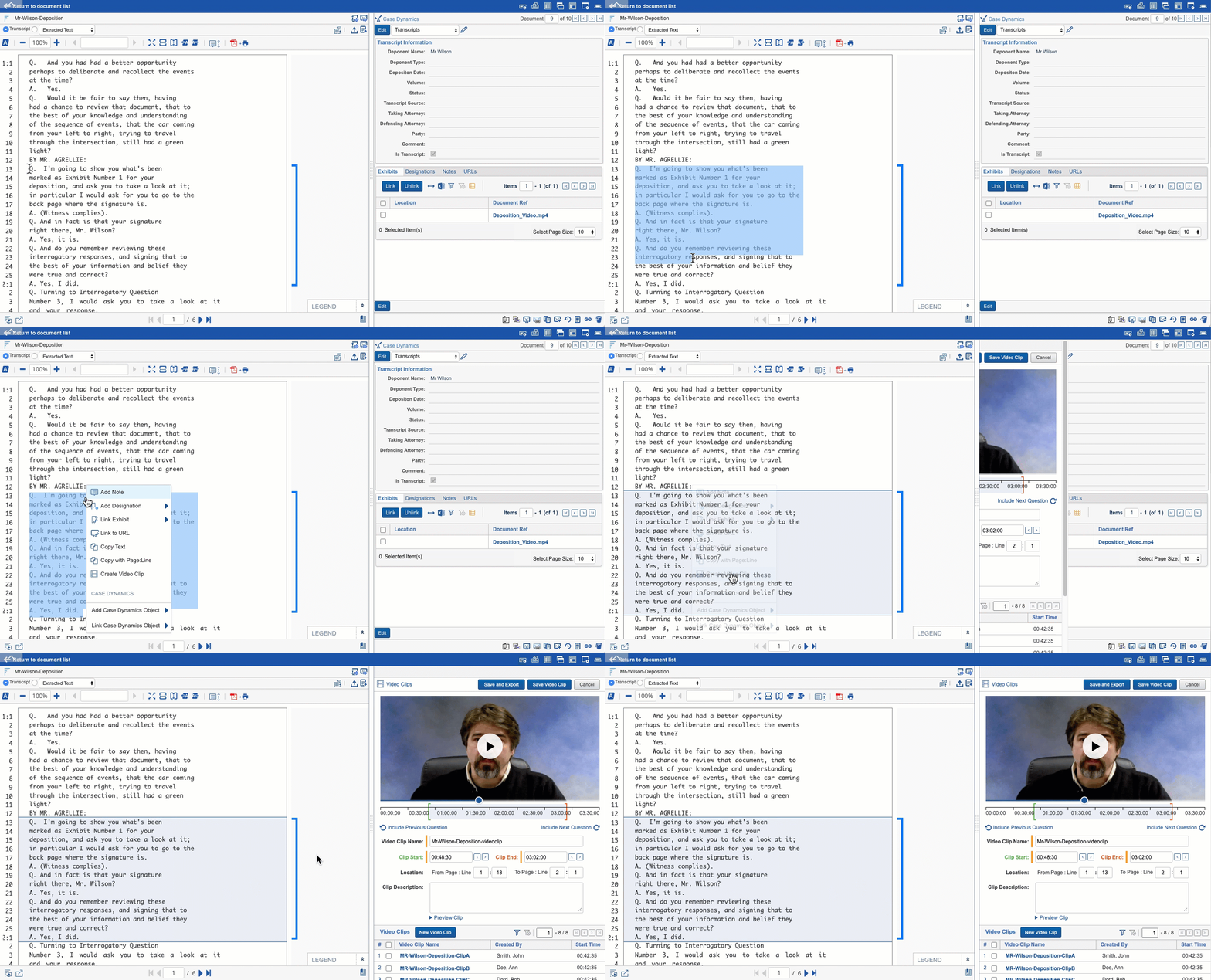
I iterated toward an experience that kept the transcript accessible while giving users precise control over the video selection.
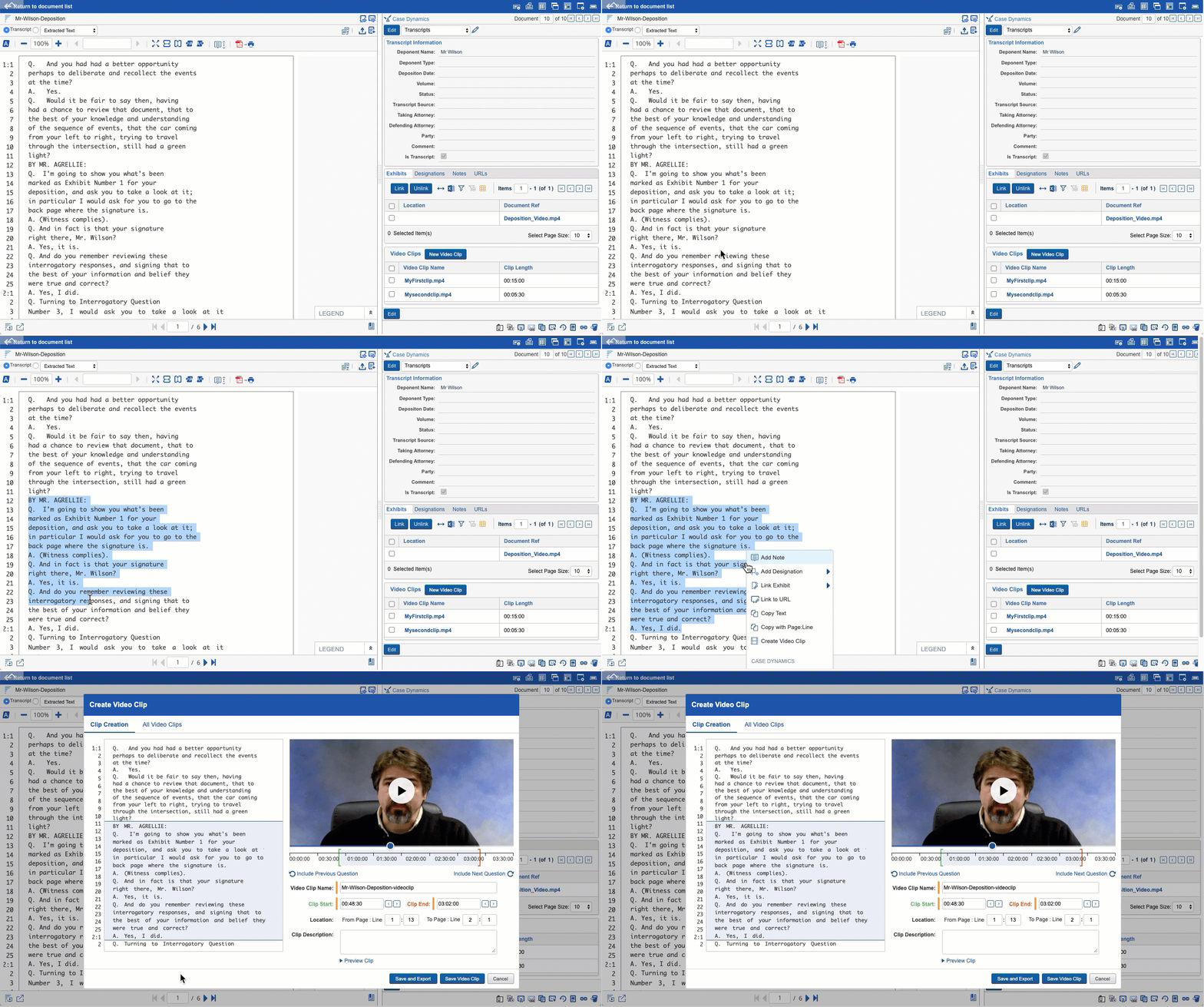
I then created higher-fidelity interactive prototypes and conducted remote usability testing. Participants completed realistic clipping tasks while I evaluated multiple interaction approaches.
The testing helped us determine which capabilities were ready for the initial release and which should be refined, removed, or deferred.
From Design to Production
Once the direction was validated, I worked with the PM and engineering team to break the feature into smaller development stories that could be designed and built in parallel.
Because the development team included an offshore partner, much of our collaboration happened remotely. I used Figma and Axure for design and prototyping, along with JIRA for coordinating implementation and maintaining a clear connection between design and development.
I also incorporated accessibility throughout the feature, considering keyboard navigation, screen readers, voice recognition, and other assistive technologies alongside mouse-based interactions.
Looking Ahead
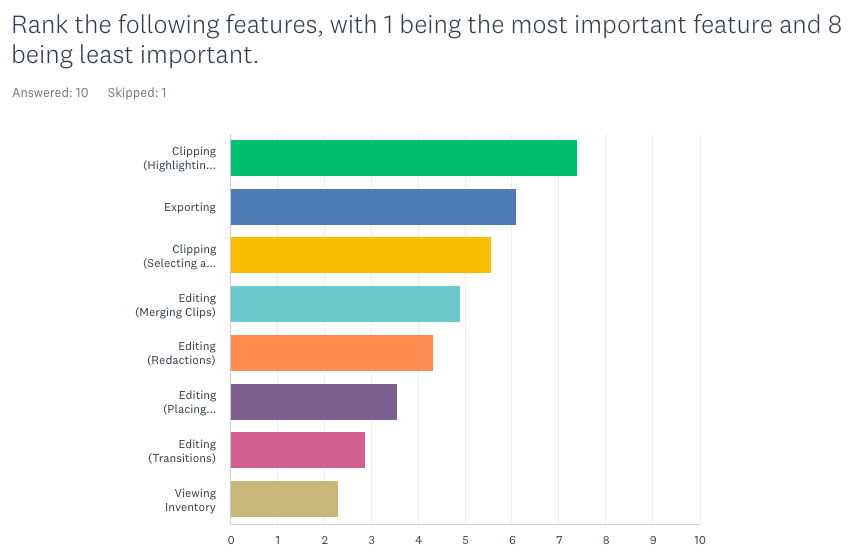
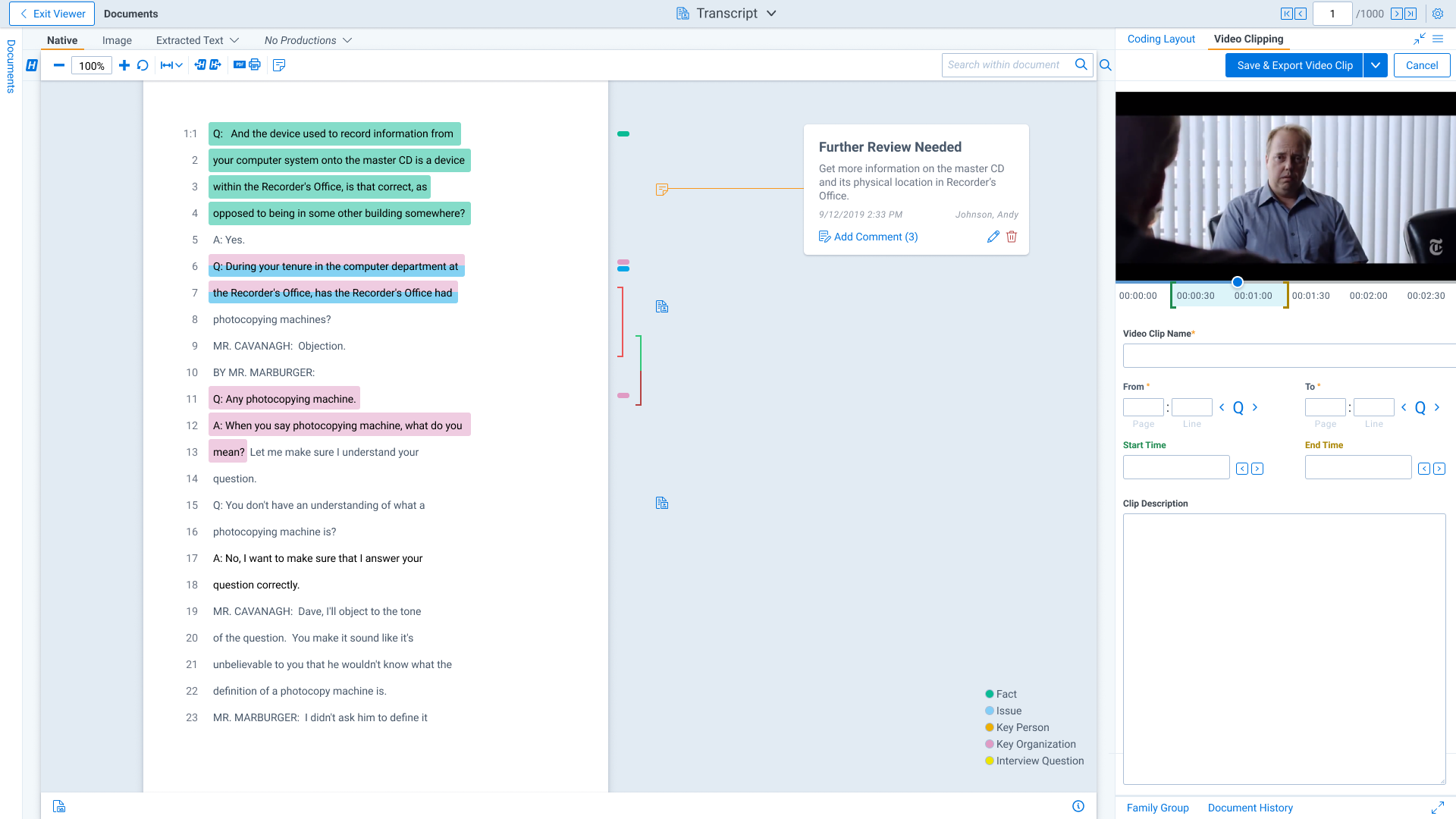
The initial release established the foundation for a broader video workflow inside Transcripts. Subsequent enhancements expanded file-type support, clip management, merging, and exporting.
The original research also identified opportunities for more advanced capabilities, including redaction, designation-based clip creation, automated clipping, and deeper integration of video throughout Relativity.
The project demonstrated how a focused customer need could evolve into a more integrated product experience through research, prototyping, usability testing, and close collaboration with engineering.