
Project Summary
Product: Fact Navigator, an AI-powered experience within Relativity aiR for Case Strategy
Role: Senior Product Designer
Timeline: 4 months
Team: 1 PM, 1 UX Researcher, 3 Engineers
Role: Senior Product Designer
Timeline: 4 months
Team: 1 PM, 1 UX Researcher, 3 Engineers
150+
Customers signed GA contracts
Customers signed GA contracts
$500K+
Revenue generated in first six months
Revenue generated in first six months
The Challenge
Relativity is a powerful legal review platform, but its complexity made it difficult for litigators to quickly find and work with the information they needed.
Research surfaced four core problems: facts and documents were difficult to discover, information was often duplicated, rigid workflows didn't align with how litigation teams actually worked, and the existing experience wasn't designed around AI-generated insights.
The opportunity was to create a more focused, flexible experience that helped litigators work with facts directly rather than forcing them through a traditional document-review workflow.
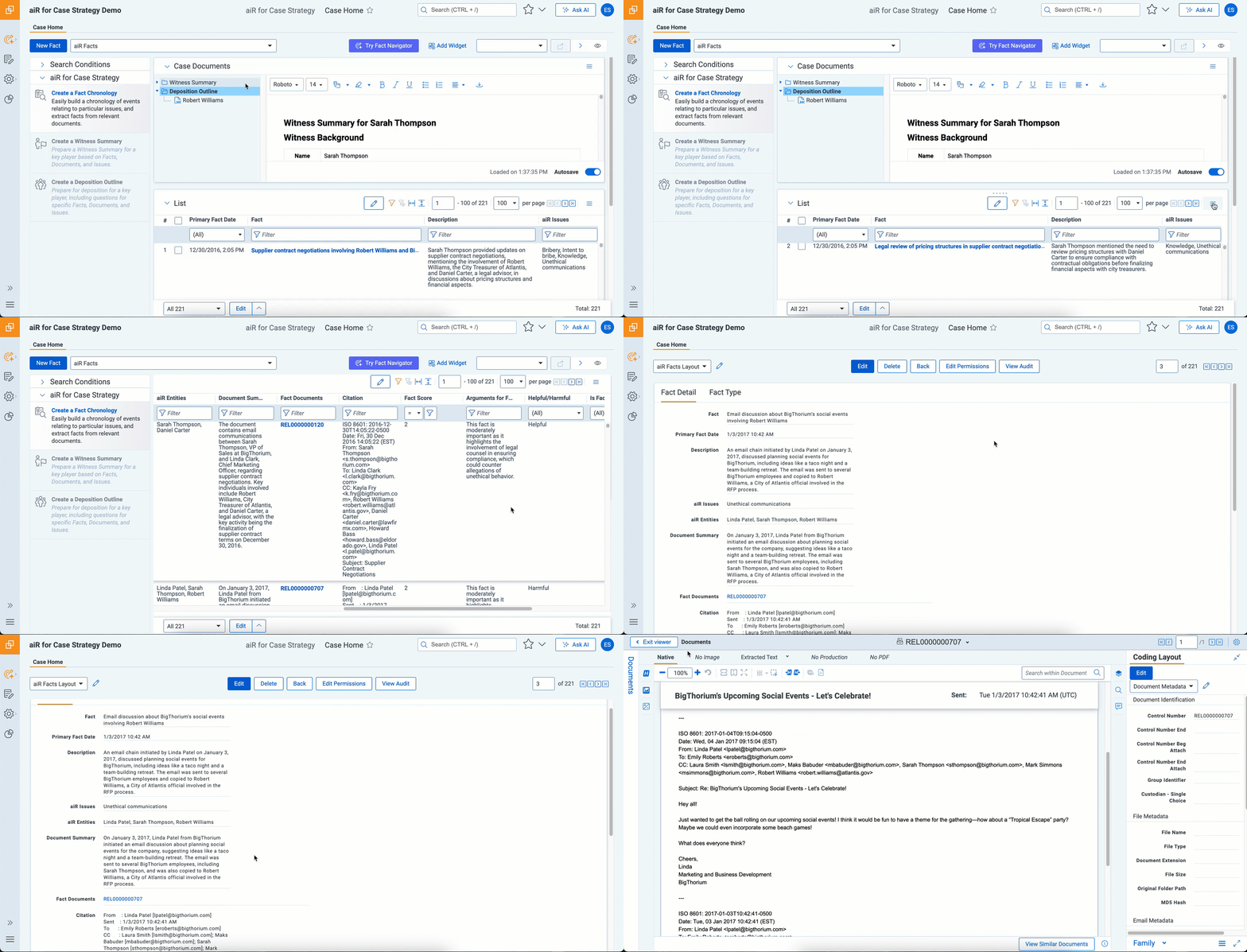
Understanding the Flow
I started by interviewing litigators and case team members, mapping workflows around deposition preparation and fact analysis, and evaluating competitor products such as Everlaw, CS Disco, Harvey, and Legora.
Several themes emerged:
Litigators think in facts, not documents.
Users wanted to collect, organize, and work with facts directly, particularly when preparing for depositions.
Users wanted to collect, organize, and work with facts directly, particularly when preparing for depositions.
Finding information needs more than search.
Users needed to search by fact names, descriptions, citations, and other attributes, then narrow results with filters.
Users needed to search by fact names, descriptions, citations, and other attributes, then narrow results with filters.
The experience needed to be flexible.
The existing UI didn't provide enough clarity or control for users to organize information around their specific case strategy.
The existing UI didn't provide enough clarity or control for users to organize information around their specific case strategy.
These insights shaped the foundation of Fact Navigator: a fact-first workspace designed around how legal teams actually prepare and reason about a case.
Prototyping First
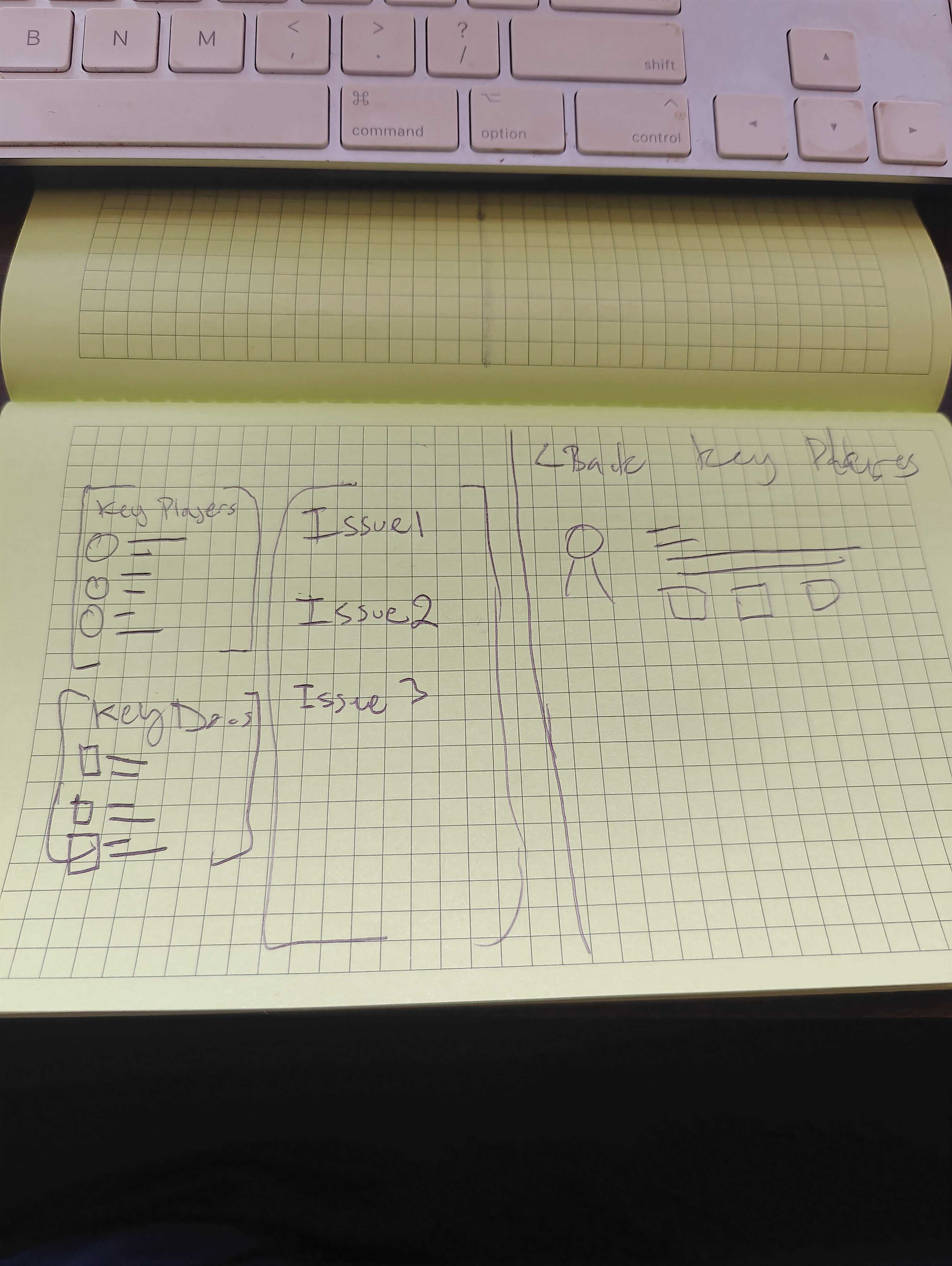
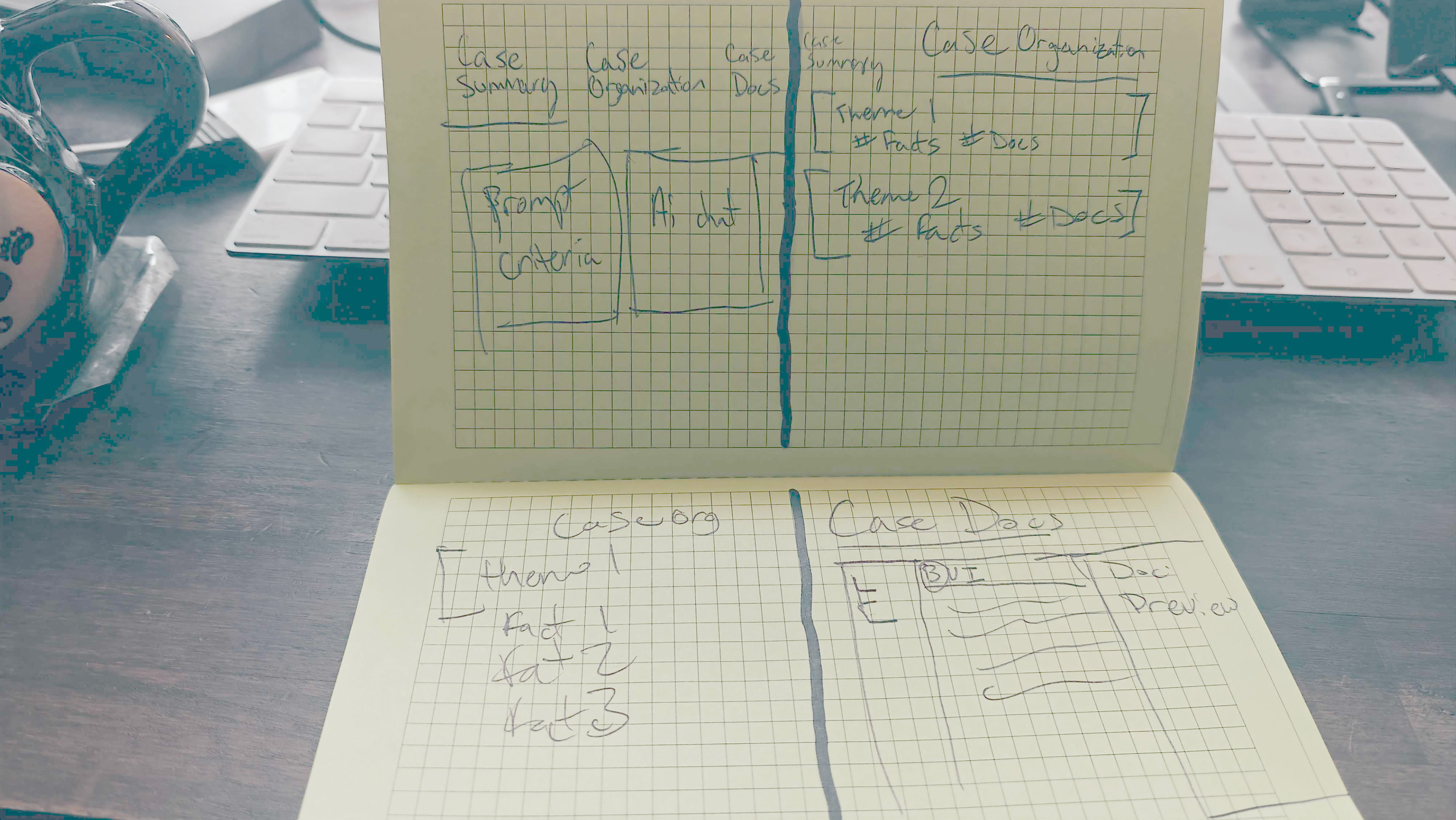
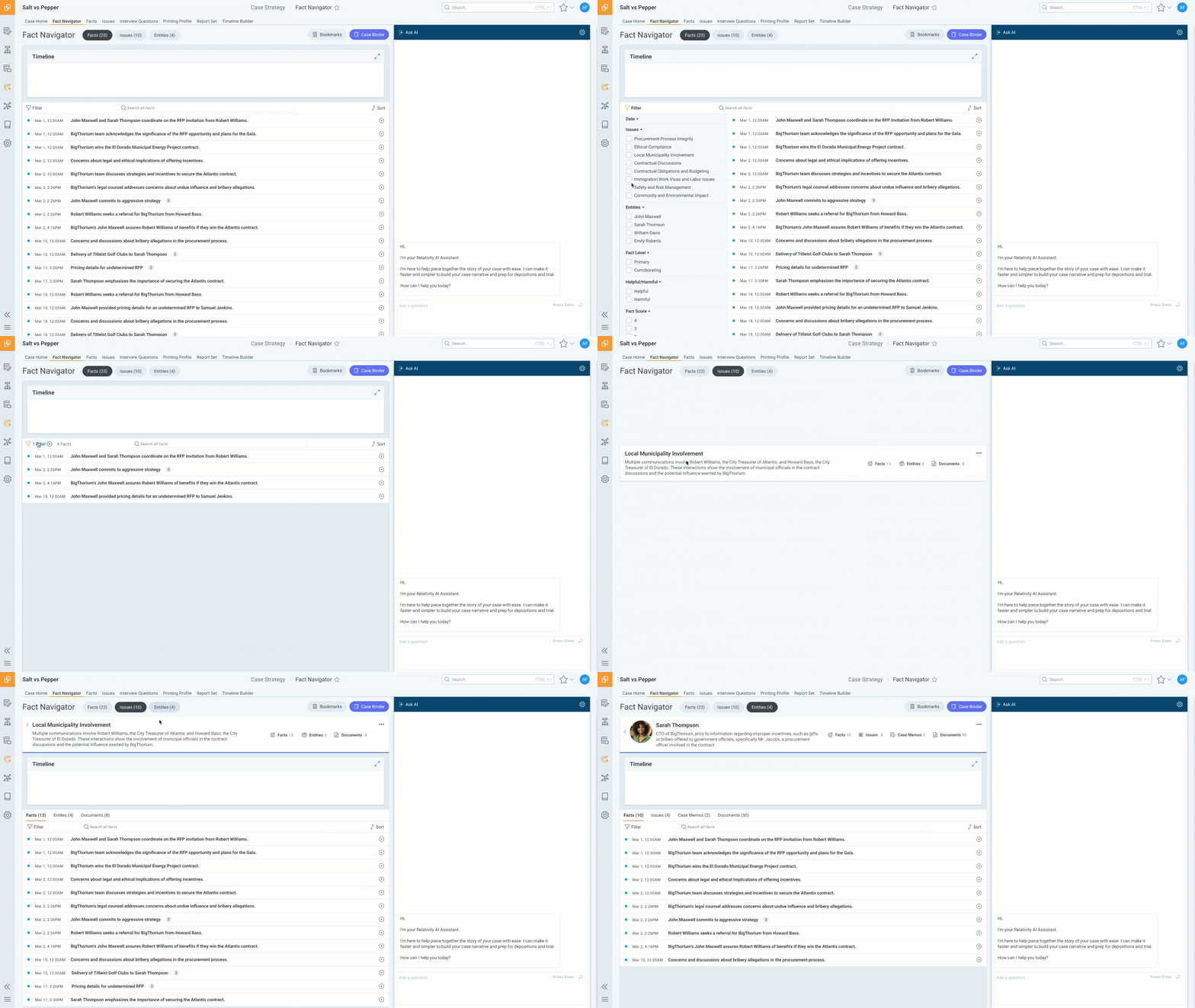
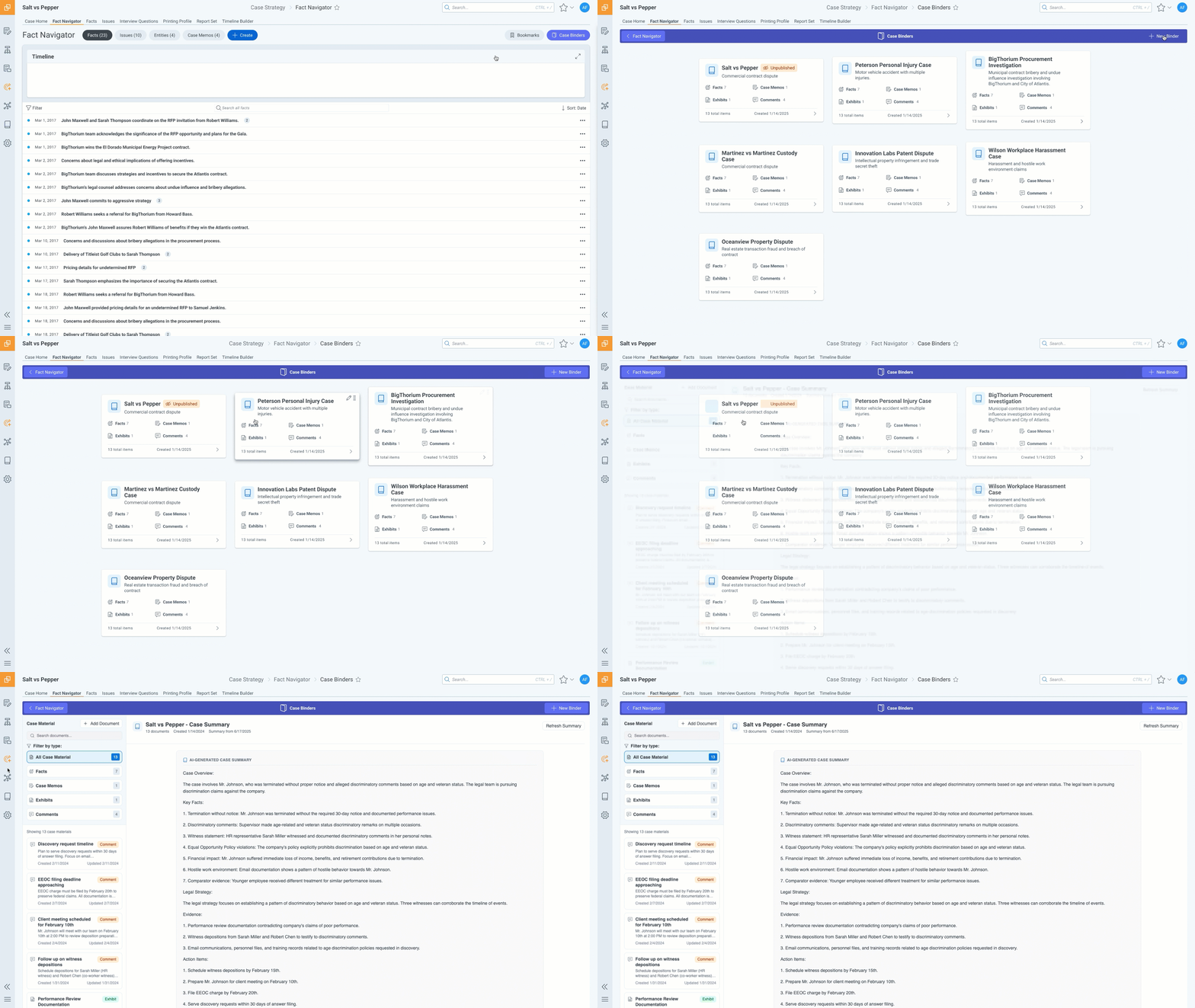
I used a prototype-first approach to move quickly from research into something the team could evaluate.
Rather than designing static screens and handing them to engineering, I built interactive flows in Figma and worked closely with engineers to validate feasibility as the experience evolved. I also tested early and often, using realistic AI interactions to explore how users would work with information that was generated dynamically and could change over time.
This created a tight feedback loop between research, design, and engineering.

The Solution
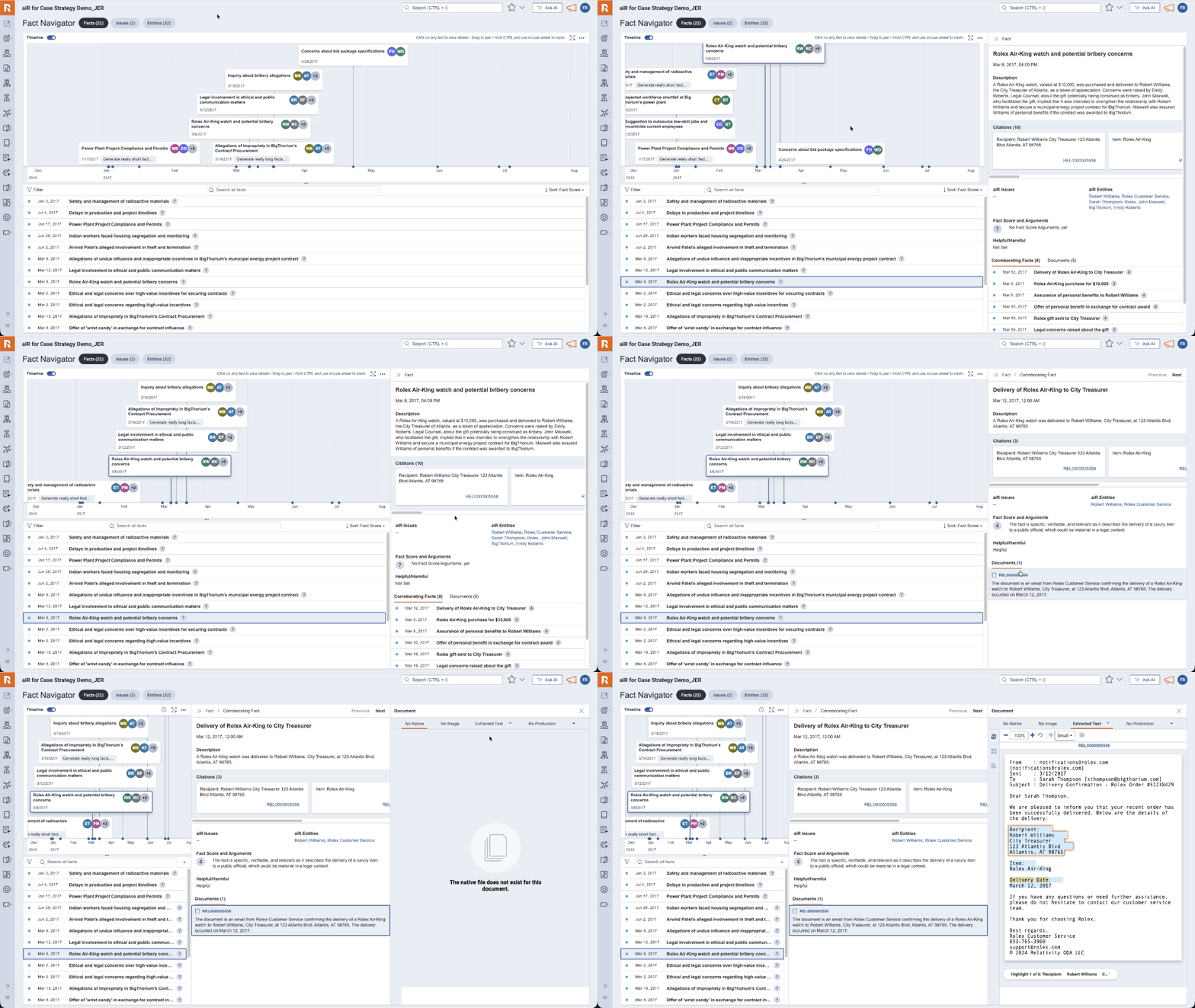
Fact Navigator became a flexible UI layer for working with AI-generated case information.
At the center of the experience was a fact-first workspace where users could discover, review, organize, and act on facts without navigating through layers of traditional document review.
Finding Facts to Building a Case
The experience expanded incrementally as we validated the core workflow.
Discover
Fact lists, issue lists, entity details, document previews, search, and filtering gave users a faster way to find relevant information.
Fact lists, issue lists, entity details, document previews, search, and filtering gave users a faster way to find relevant information.
Review
Users could edit facts, distinguish AI-generated content from human edits, and work with multiple facts at once.
Users could edit facts, distinguish AI-generated content from human edits, and work with multiple facts at once.
Organize
Users could hide facts, organize information into Case Binders, and control whether content was private or public.
Users could hide facts, organize information into Case Binders, and control whether content was private or public.
Build
Case memo generation, formatting, and multi-select workflows helped users turn individual findings into useful case strategy.
Case memo generation, formatting, and multi-select workflows helped users turn individual findings into useful case strategy.
Explore
Q&A, chat, transcript views, and deposition summaries extended the experience toward AI-assisted legal workflows.
Q&A, chat, transcript views, and deposition summaries extended the experience toward AI-assisted legal workflows.
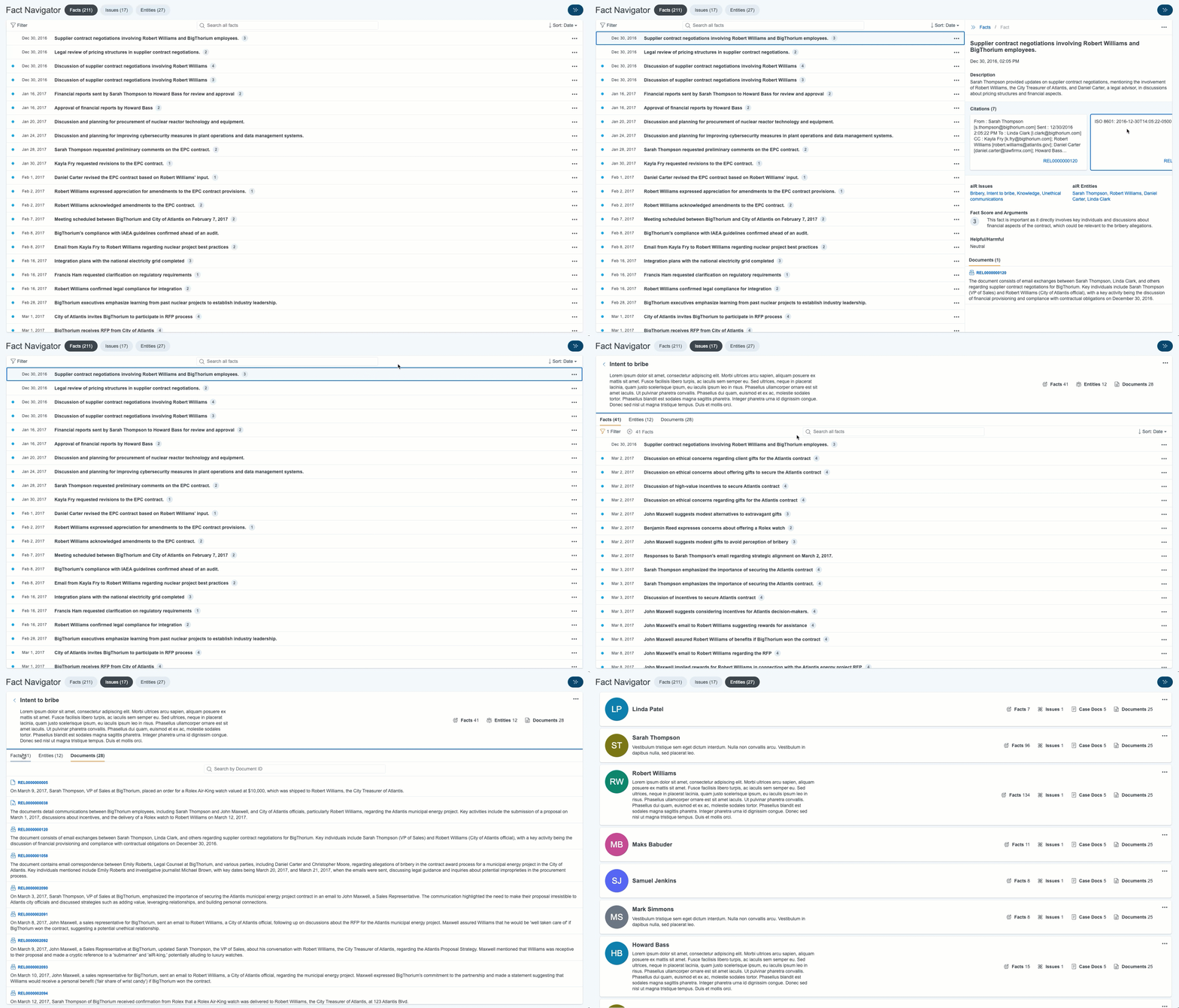
The result was a system that could evolve from a simple fact-finding tool into a broader workspace for case preparation.
Designing for AI + Human Workflows
A major design challenge was determining how AI and human judgment should interact.
AI-generated content needed to feel useful without becoming authoritative. We explored clear distinctions between AI and human content, editable outputs, flexible organization, and interaction patterns that allowed users to move between generated insights and their underlying evidence.
The goal wasn't to automate legal judgment. It was to make the work around that judgment faster and easier.
“Fact Navigator is a much more user-friendly interface, especially for people unfamiliar with Relativity, and includes many of the options I think would be helpful to someone unfamiliar with the system that is trying to review facts in preparation for various tasks on a case.”
“It’s such a great improvement over the [current] view. It feels dynamic. I’m able to bounce across different slices of fact generation easily.”


Customers consistently described the experience as a significant improvement over the existing Case Home experience, particularly for quickly finding and preparing facts for depositions.
Impact
Early adoption showed steady growth in weekly engagement, particularly among Strategic Legal Users, the audience the experience was designed to support.
That momentum continued after launch:
150+ customers signed general availability contracts.$500K+ in revenue was generated in the first six months.
Beyond the commercial impact, the project established a more modular and flexible design direction that could be extended across Relativity's broader AI product experience.
Reflection
Fact Navigator reinforced the value of fast feedback loops in enterprise product design. By combining user research, rapid prototyping, and close collaboration with engineering, we were able to validate complex AI interactions while the product was still taking shape.
It also changed how I approached AI product design. The challenge wasn't simply figuring out what AI could generate. It was designing the surrounding experience so users could understand, control, organize, and act on those outputs.
The result was an MVP that shipped in four months, demonstrated meaningful customer adoption, and helped establish a foundation for Relativity's next generation of AI-assisted case strategy tools.