
Project Summary
Building an Evidence Mapping Workflow for Legal Teams
Role: Senior Product Designer
Timeline: 6 weeks
Team: Product Manager, Applied Scientists, Engineers
Overview
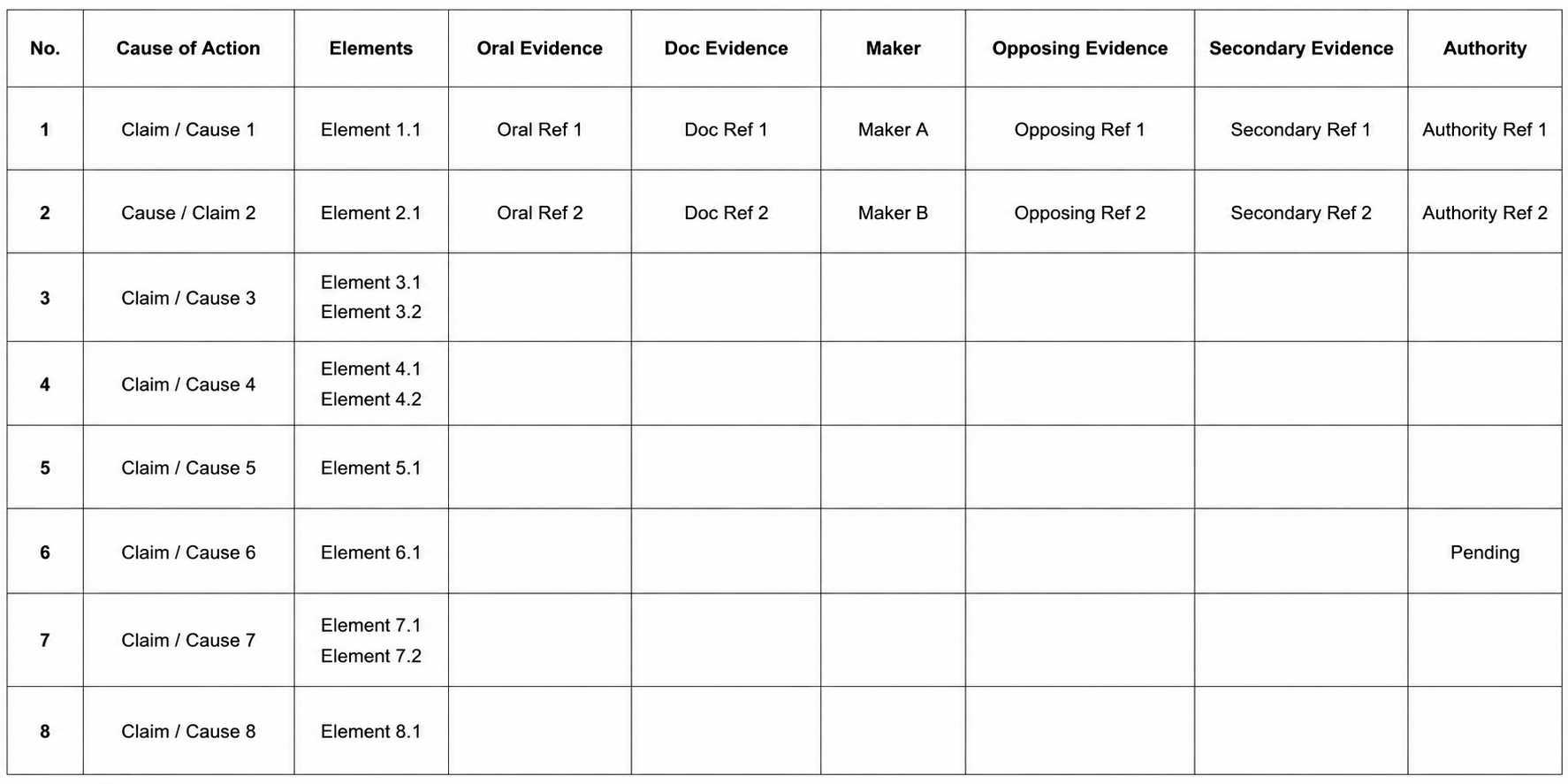
Evidence Mapping helps litigation teams connect legal claims with the evidence needed to prove or refute them. Although this is one of the most valuable parts of preparing a case, attorneys often manage the process manually using Word documents and spreadsheets.
The goal was to bring this workflow into our platform by combining AI-assisted analysis with human review, creating a living artifact that could evolve throughout the lifecycle of a case.
Rather than replacing attorney judgment, the experience was designed to accelerate the tedious work of organizing evidence while keeping attorneys in control of every important decision.
The Challenge
I inherited the project after initial discovery had already begun, with roughly six weeks to design and build the first version.
My first priority was getting up to speed quickly. I synthesized existing customer research, attended user group meetings, reviewed previous product decisions, and worked closely with Applied Scientists to understand both the legal workflow and emerging AI capabilities.
Research showed that evidence mapping was valuable, but the existing process was fragmented and highly manual. Attorneys were building maps in Word and Excel, copying evidence between disconnected systems, manually searching for supporting documents, and struggling to keep their maps current as cases evolved.
The opportunity was clear: bring evidence mapping into the platform while preserving the flexibility and control attorneys needed.
From Research to Design Principles
Several themes consistently emerged through user interviews, customer advisory sessions, and collaboration with Applied Scientists.
Flexible by design
Evidence maps aren't one-size-fits-all. Attorneys often create focused maps for moments such as summary judgment, trial preparation, mediation, investigations, or early case assessment.
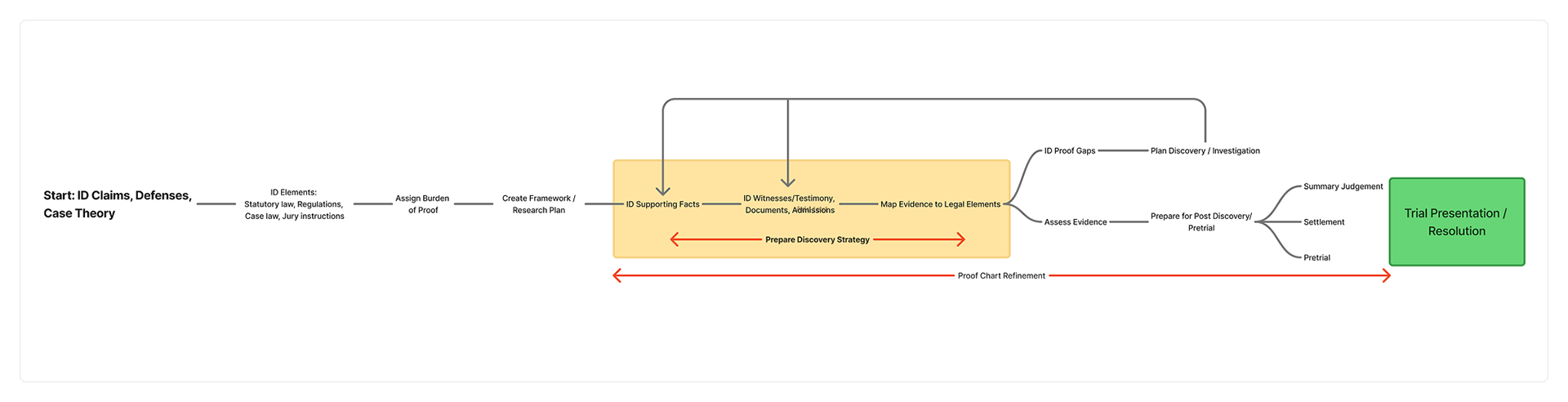
This pushed us toward a flexible workspace rather than a rigid, linear workflow.
Research should be controllable
Attorneys wanted AI to assist, not overwhelm. They needed to choose which documents to analyze, control the scope of research, prioritize what the system should investigate, and understand the impact of broader searches.
AI outputs need verification
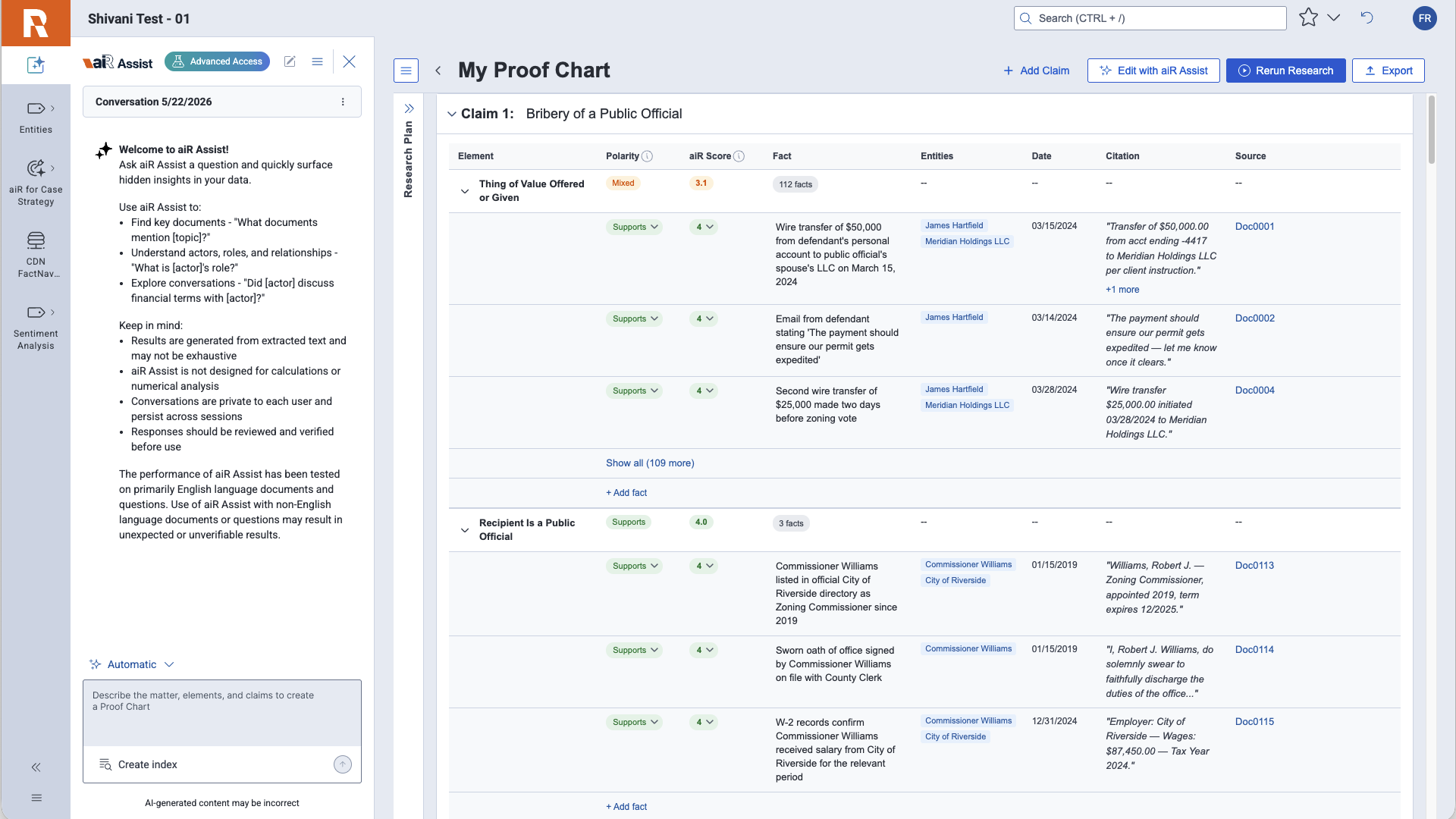
Users viewed AI-generated facts as starting points rather than final answers. Every finding needed to be reviewable, editable, and traceable back to its source.
These insights became the foundation for the experience:
• AI should accelerate, not automate, legal reasoning.
• Users should remain in control of important decisions.
• AI-generated output should be transparent, editable, and reviewable.
The Solution
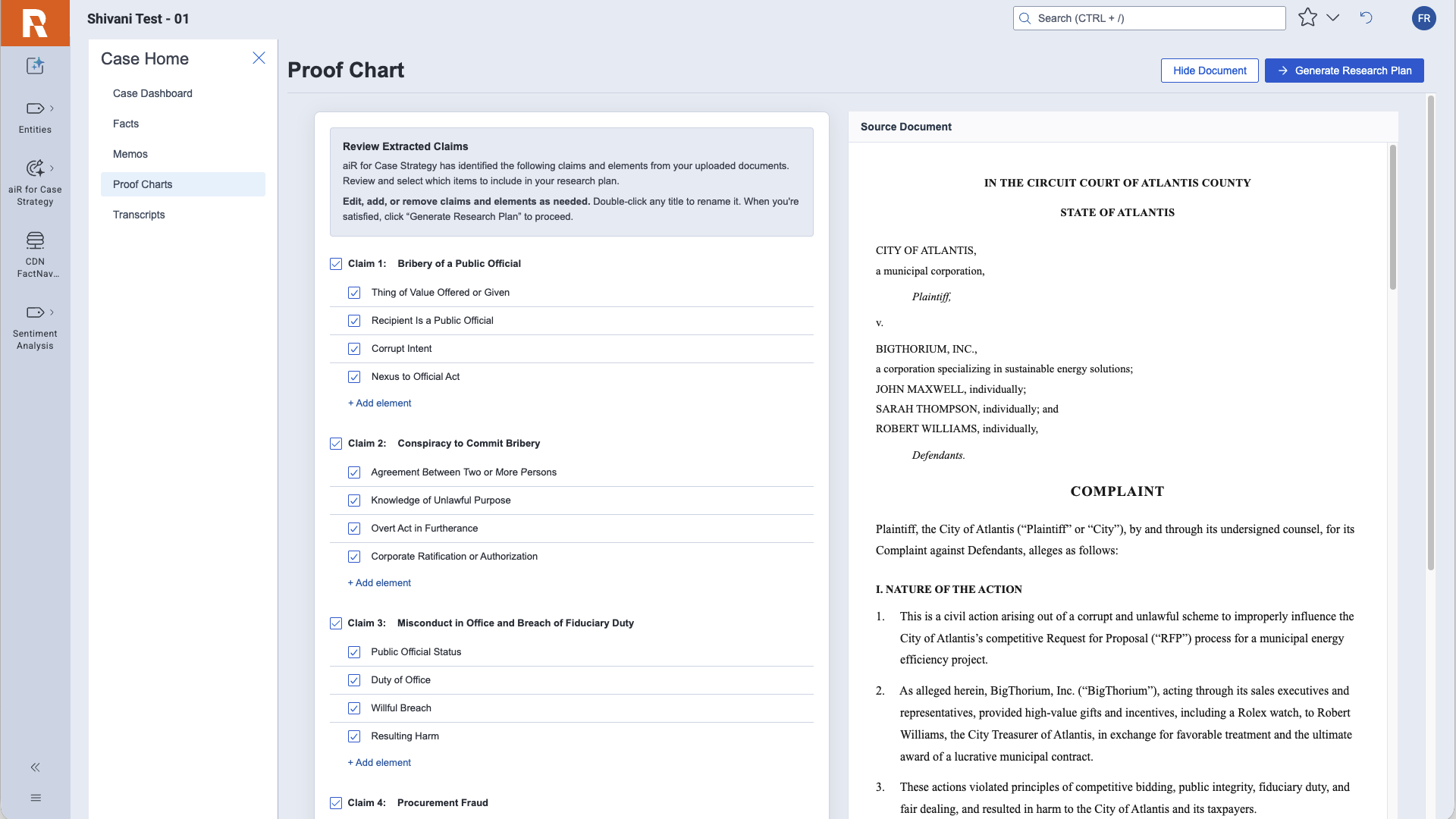
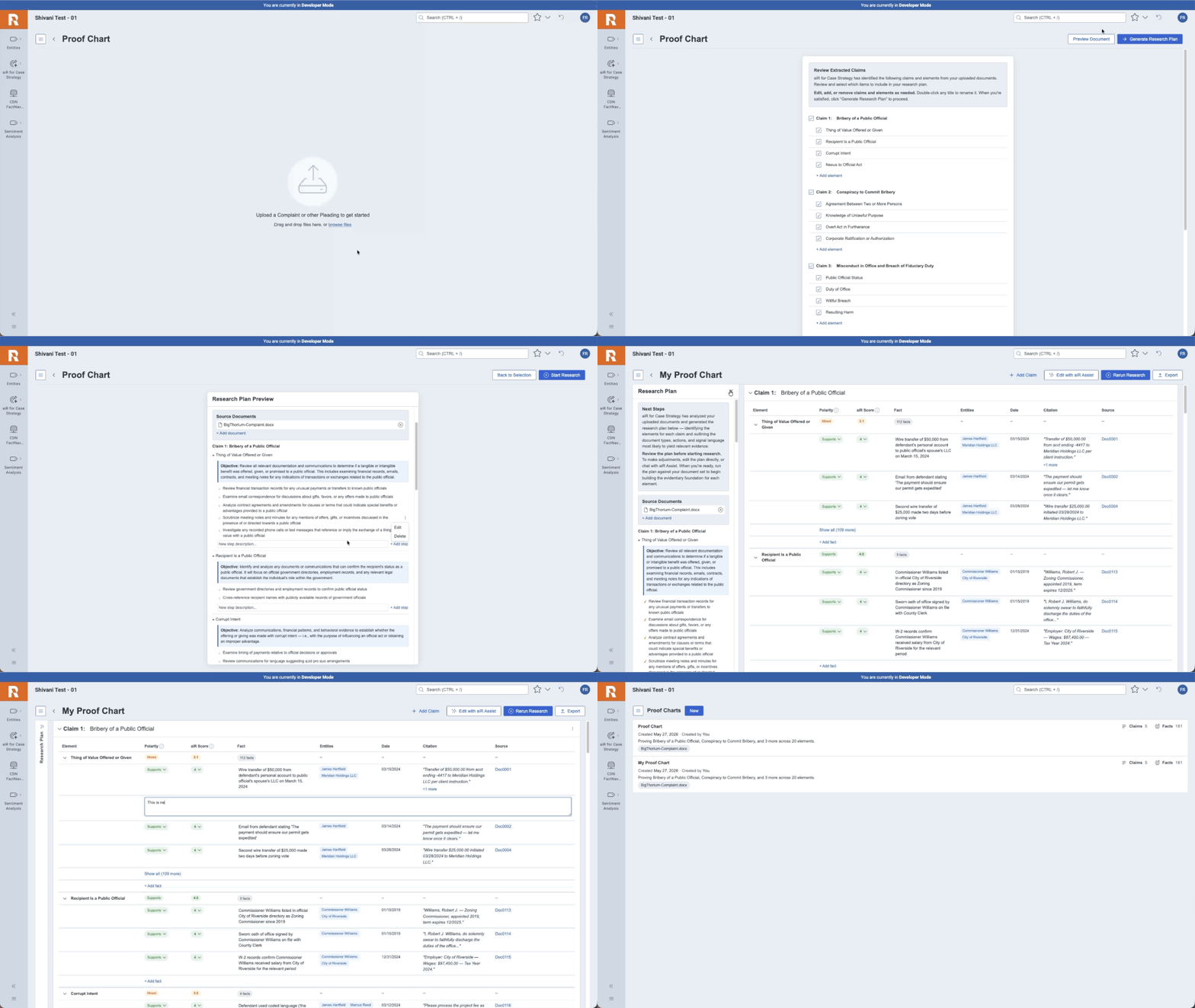
The experience begins with attorneys uploading one or more seed documents, such as a complaint. AI analyzes those documents and generates an initial set of claims, legal elements, and a research plan.
Instead of immediately searching the entire workspace, attorneys can first review and refine the generated outline. Once approved, the system analyzes the selected document set and constructs the initial evidence map.
Connecting Claims to Evidence
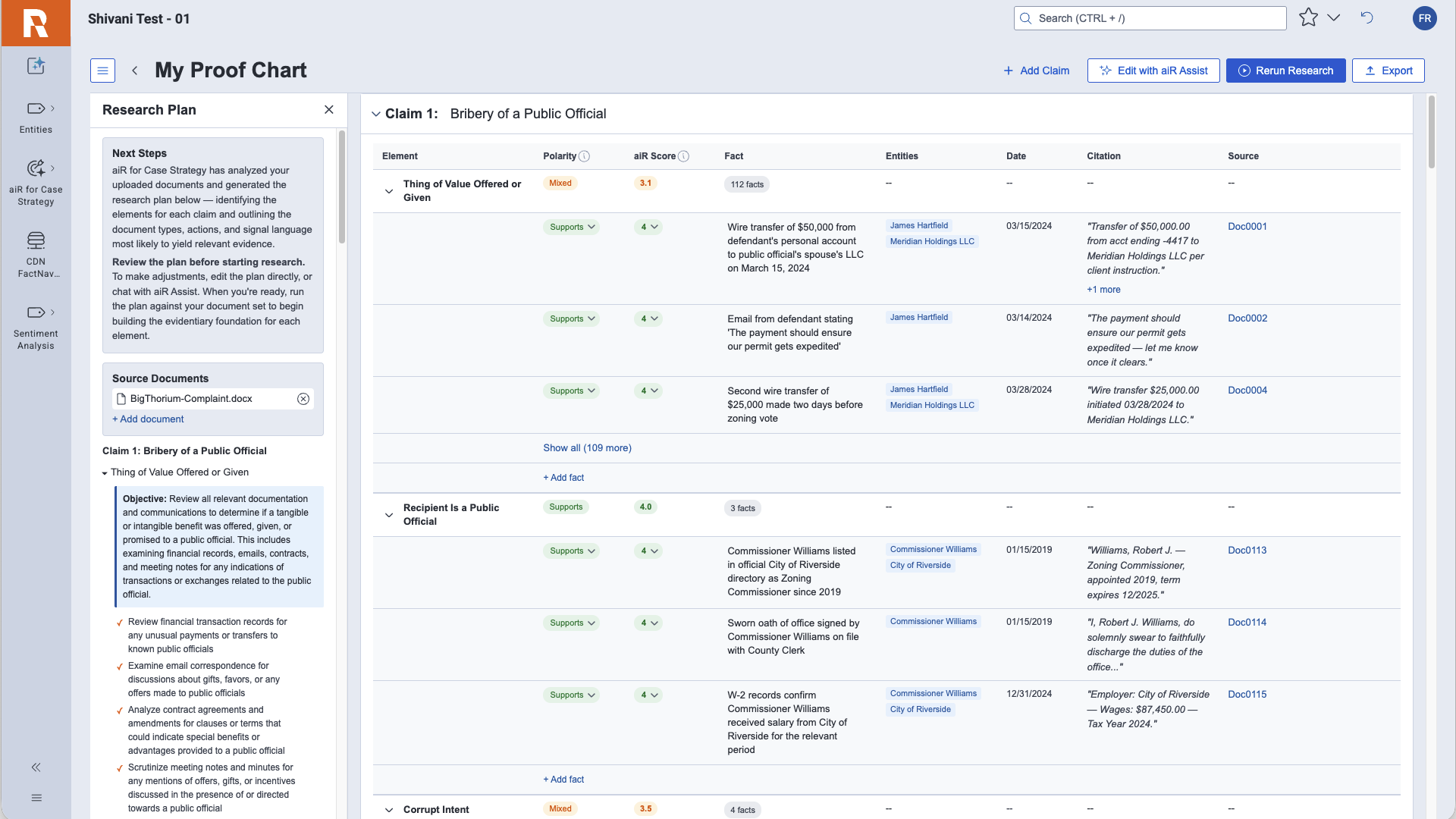
Each legal element becomes a workspace for reviewing the evidence needed to support or challenge an argument.
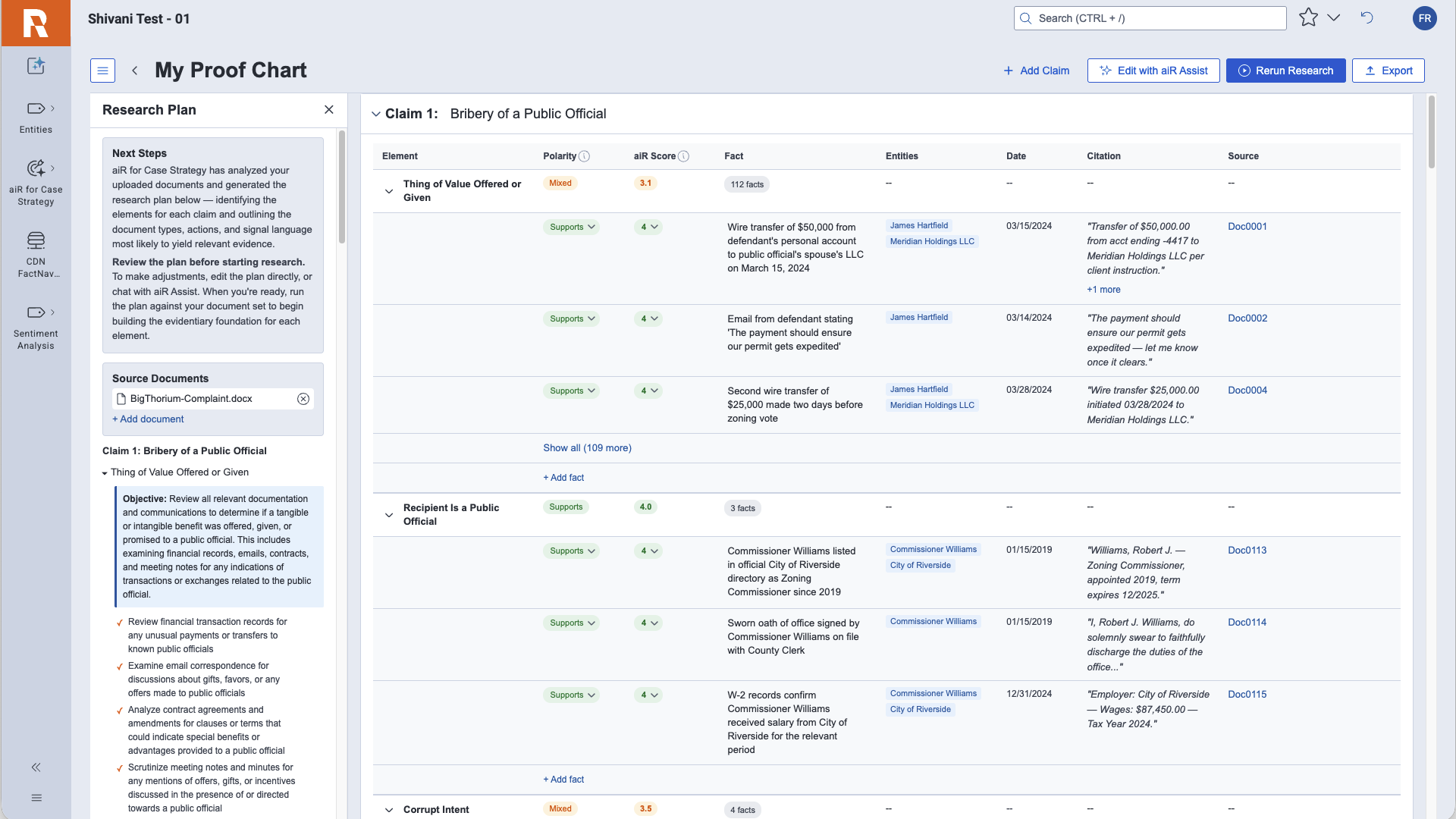
Attorneys can review supporting and conflicting facts alongside confidence scores, citations, document references, dates, and source information. Individual findings can be approved, edited, pinned, commented on, or deleted.
The result is a collaborative workflow where AI handles much of the extraction and organization, while attorneys remain responsible for legal judgment.
Making Research Iterative
A key design decision was treating research as an ongoing process rather than a one-time AI generation step.
Attorneys can edit the research plan, add or remove legal elements, analyze saved searches, rerun AI after making revisions, and customize how findings are organized.
This flexibility allows the evidence map to evolve as the case evolves, rather than forcing teams into a predetermined workflow.
Designing for Trust
Because the experience relied heavily on AI, trust was one of the central UX challenges.
I designed the system so that AI recommendations were always presented as something to evaluate rather than something to accept. Confidence levels, citations, document traceability, editable output, approval workflows, and transparent research plans gave attorneys the context needed to make their own decisions.
The principle was simple: AI provides leverage, attorneys provide judgment.
Building with AI
This project also changed how I worked as a designer.
Using Cursor and Claude alongside our GitHub repository, I moved beyond static mockups and built production-ready prototypes directly in code. This allowed me to explore interaction patterns, test ideas earlier, and collaborate more closely with engineering throughout implementation.
The tighter connection between design and development dramatically shortened the feedback loop and helped the team design and get ready to ship the MVP within six weeks.
Outcome
The MVP introduced an integrated evidence mapping workflow inside the platform, replacing fragmented spreadsheet-based processes with an AI-assisted experience.
Attorneys could now map claims to evidence, identify gaps earlier, collaborate around legal strategy, and keep evidence connected throughout the case lifecycle.
The project also established a foundation for future capabilities including reusable evidence maps, broader investigation workflows, and AI-assisted legal research.
Reflection
This project reinforced that successful AI experiences aren't simply about automating work. The harder design challenge is determining where AI should assist and where humans need to remain firmly in control.
It also changed how I approach product design. By combining traditional UX methods with tools like Cursor and Claude, I was able to contribute not only as a designer, but as a rapid prototyper working directly alongside engineering.
The result was a meaningful customer-facing feature that shipped in six weeks and established a foundation for a broader AI-powered case strategy platform.